


When I use Poll Everywhere, I do not think of it as a complete meeting system. I see it as the response layer in a larger workflow: someone prepares a live activity, a group joins from a phone or tablet, and the answers become useful input for a discussion, lesson, presentation, or decision. That distinction matters because the app is most valuable when the work around it is already organized.
Developed by Poll Everywhere Services, this free Business app is designed for people who need an audience to respond while an activity is happening. Its purpose is narrower than a general note-taking tool, chat app, survey archive, or video-conferencing platform, and that focus is both its main strength and its main limitation. I would recommend it to participants who regularly encounter Poll Everywhere activities, but I would not install it expecting a full replacement for the tools used to plan, present, or document a meeting.
Where it fits before a meeting or live session
The best experience starts before anyone opens the app. A presenter needs to know what decision or reaction the activity is meant to capture. If that question is vague, the phone interface cannot rescue the session. I get better results when the organizer uses one activity for one clear purpose: checking understanding, collecting quick opinions, opening a discussion, or giving quieter people a way to contribute.
That preparation also prevents a common failure: treating live responses as the final record. I prefer to decide in advance what will happen after the answers appear. Will the group discuss an unexpected result? Will the presenter adjust the lesson? Will a team record a decision elsewhere? Poll Everywhere can make participation visible, but a sustainable productivity system still needs a place for actions, owners, and follow-up.
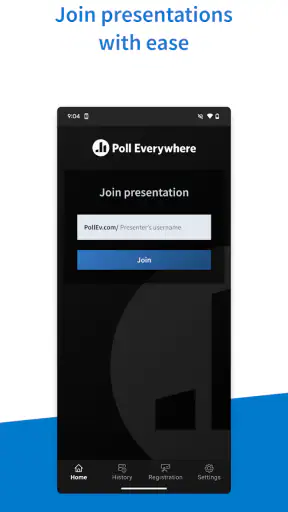
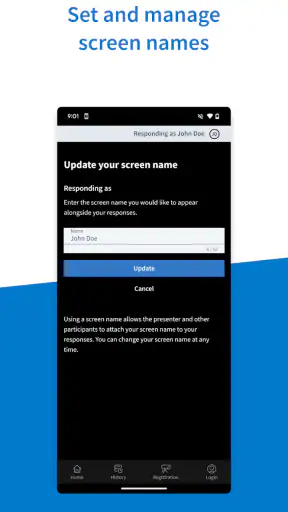
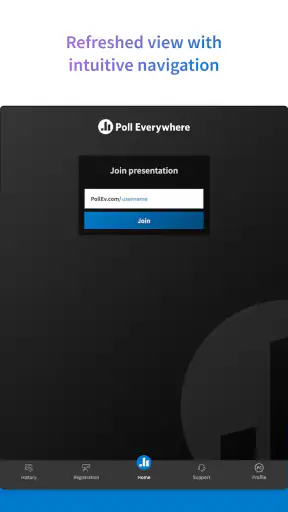
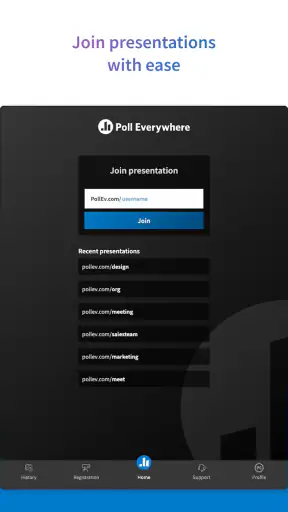
For an attendee, the workflow is deliberately simple. I open the app when a presenter starts an activity, use the activity identifier or joining method supplied in the session, and respond from the device in my hand. The app’s store summary describes this central role accurately: it lets people respond to live activities from a phone or tablet. It is not trying to turn the participant into the meeting host.
That separation is useful in classrooms, workshops, company meetings, and presentations. The person leading the session can concentrate on framing the question, while participants can answer without passing a microphone around. It also gives people who do not usually speak first a practical way to enter the conversation.
Capturing a response without losing the conversation
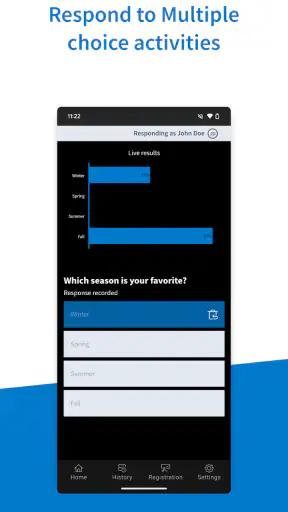
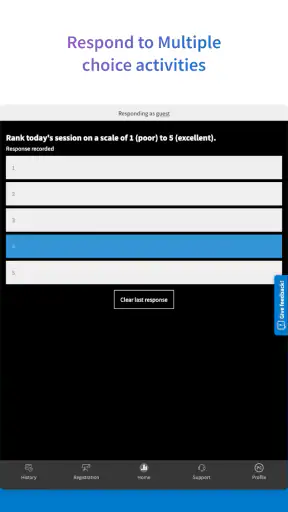
In a realistic workday, I might join a short team review where the facilitator asks which part of a process is causing the most delay. I can answer from my phone while the discussion continues, then listen as the facilitator compares the responses with what the room expected. The value is not merely the tap on the screen. The value is that the response creates a shared starting point for the next conversation.
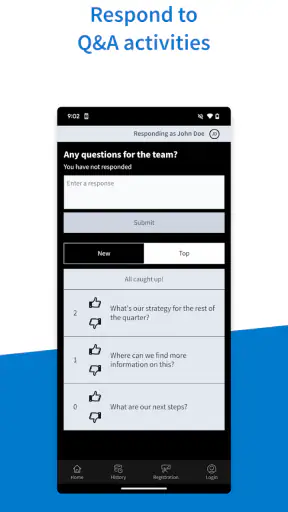
I find this especially helpful when a group has a strong habit of letting the most confident speakers define the mood. A live activity can widen participation, but it should not become a popularity contest. The organizer still needs to explain how answers will be used and whether responses are intended to be private, visible, or discussed openly. Those choices belong to the session design rather than to my role as a participant.
One practical tip is to keep the app ready before the activity begins instead of waiting until the presenter is already moving quickly. Joining late can create unnecessary pressure, particularly when a session changes from explanation to response with little warning. I also keep the presentation or meeting instructions nearby, because the app works as part of that live setup rather than as a standalone destination for browsing content.
Another useful habit is to answer first and interpret later. When a question is displayed, I try not to spend the response window debating what the group might want to see. That makes the result more honest. If the activity is being used to check knowledge, guessing what looks popular defeats the purpose; if it is being used to gather preferences, a carefully considered answer is more useful than a rushed one.
Organizing information after the activity
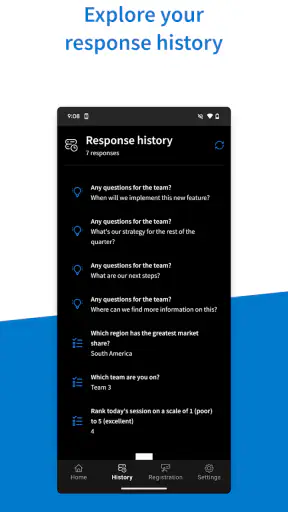
The app is strongest at collecting a moment of participation. It is not, by itself, the whole organizational system for what that participation means. After a session, I would move important conclusions into the team’s normal notes, project tracker, lesson plan, or decision record. Otherwise, a lively result can disappear as soon as the presentation ends.
This is one of the less obvious trade-offs. A polling activity can make a group feel aligned because everyone has responded, yet a response is not automatically a commitment. If a team selects a priority, someone still needs to write down the next action and the deadline. If a class reveals a misunderstanding, the teacher still needs to decide what explanation or exercise comes next. The app provides a useful signal; the surrounding workflow turns that signal into progress.
I would therefore treat each activity as an input with a destination. Before starting, I ask myself what information I expect to learn and where I will store it. During the session, I watch for results that need clarification. Afterwards, I preserve only the conclusions that matter. This keeps the tool from becoming another stream of disconnected activity in an already crowded workday.
For presenters, a small amount of naming discipline can help. If several activities are used in one session, clear wording makes it easier to remember which result led to which discussion. For participants, the equivalent habit is to note the context of an answer when it affects later work. A response to a budget question should not be confused with a response to a training check, even if both happened in the same meeting.
A repeatable routine that stays lightweight
I would build Poll Everywhere into a routine only where live input genuinely changes what happens next. A useful pattern is to begin with a quick check, use a second activity to explore a disagreement, and end by confirming what the group understands or supports. The exact sequence depends on the session, but the principle is consistent: every response should have a visible role.
For a weekly team meeting, that might mean using one activity to identify the issue worth discussing rather than spending ten minutes guessing which topic matters most. For a workshop, it might mean checking the room’s starting point before introducing a difficult concept. For a presentation, it can provide a pause that turns passive viewing into active participation.
The routine should remain selective. If every slide asks for an answer, people may stop treating the questions as meaningful. I prefer to reserve live activities for moments where the presenter needs evidence, a temperature check, or a deliberate change of pace. This makes each response easier to interpret and reduces the feeling that the audience is being interrupted for no reason.
There is also a useful distinction between collection and reflection. During the activity, I focus on responding quickly and accurately. Afterward, I look for patterns, surprising answers, and questions that deserve follow-up. That two-step approach keeps the live moment energetic without forcing the group to solve every issue while the activity is still on screen.
For someone managing several sessions, a repeatable preparation checklist is more valuable than relying on memory. I would confirm the activity details, decide how the result will be discussed, make sure participants know how to join, and prepare an alternative way to continue if the live response process becomes awkward. The app can support the routine, but the routine should not depend on everything going perfectly.
Where the experience can break down
The first failure point is context. If a participant does not know which activity to join or what the question means, a simple response can become confusing. Clear instructions from the presenter matter more than any small convenience in the app. I would be cautious about blaming the participant for a problem caused by unclear session setup.
The second is attention. A phone is convenient, but it also introduces a competing screen into a room that may already contain slides, video, or notes. In a short activity this is manageable. In a long session with frequent prompts, repeatedly switching between the presentation and the phone can feel tiring. People who prefer to keep their work on one screen may find the experience less comfortable than responding through a browser or another integrated meeting workflow.
The third is interpretation. A fast result can look more authoritative than it really is. People may answer differently because they misunderstood the wording, felt rushed, or followed the tone of the room. I use the responses as evidence for a conversation, not as an unquestionable verdict. That is particularly important when a poll is being used for a serious workplace decision or a sensitive learning assessment.
There is also a trade-off against ordinary alternatives. A show of hands is faster when the group is very small and the question is informal. A chat message may be better when people need to explain their reasoning in detail. A conventional form is usually more suitable when responses must be gathered asynchronously, reviewed carefully, or completed over a longer period. A meeting platform’s built-in reaction or poll feature may be more convenient when the audience is already inside that platform and the organizer does not need a separate activity workflow.
Poll Everywhere becomes more compelling when the presenter wants a deliberate live prompt and the audience needs a straightforward way to answer from a mobile device. It is less compelling when the main requirement is long-form feedback, private case management, detailed reporting, or a permanent knowledge base. Choosing it well means matching its focused role to the moment rather than asking it to cover every communication need.
What new users should expect from the app
The app is free, carries an Everyone content rating, and has reached over a million installs. Its average rating is 3.4, based on around one thousand ratings, with roughly one hundred and fifty written reviews. Those figures suggest a product that is widely encountered but not universally loved, which matches my view: the basic purpose is easy to understand, while the quality of the experience depends heavily on the activity setup and the surrounding session.
It was released in August 2014 and is currently at version fifteen. I mention that because this is a mature app rather than a brand-new experiment, but maturity does not remove the need for a sensible workflow. I would still test the joining process before an important event, especially if the audience includes people who are not comfortable installing or switching between apps during a presentation.
As a participant, I would want clear answers to three practical questions before the session starts: what activity am I joining, when should I submit, and what will happen to the result? The app can handle the response step, but the organizer must communicate the other two. If those instructions are missing, even a technically successful submission may not feel successful.
I would also avoid assuming that every activity deserves the same level of privacy or discussion. A light icebreaker, a knowledge check, and a workplace preference question carry different risks. The presenter should explain the purpose and set expectations, while participants should answer with awareness that the session’s rules matter as much as the button they press.
Who will benefit most from adopting it
I think this app is a good fit for employees who attend interactive presentations, students joining live lessons, workshop participants, and teams that need quick input from a room full of people. It is particularly useful for audiences where spoken participation is uneven. A person who rarely interrupts can still contribute, and a facilitator can see whether the group is following the subject instead of relying only on nods and silence.
It also suits presenters who already have a clear structure and want to add purposeful interaction. The strongest users will not measure success by how many activities they run. They will ask whether each activity improved understanding, surfaced a disagreement, or helped the group choose what to do next.
I would tell a friend to skip it if they only need an occasional informal vote among a few people, because raising hands or using an existing chat may be quicker. I would also look elsewhere if the central job is collecting detailed written feedback, managing tasks, storing documents, or running an asynchronous survey. Those needs call for tools built around depth and continuity rather than a live response moment.
For organizations, the bigger question is not whether people can answer a poll. It is whether the organization has a habit of acting on what people answer. If results vanish after the presentation, adoption may create more noise than value. If the team has a clear place for decisions and follow-up, the app can become a small but effective part of a sustainable participation system.
My final assessment after fitting it into a workflow
Poll Everywhere is best understood as a focused companion for live activities, not as an all-purpose business app. I like the way it gives participants a direct role without requiring them to speak aloud, and I can see real value in using it to expose understanding, gather a quick range of views, or reset the energy in a presentation.
My reservation is that the app cannot compensate for weak questions, poor instructions, or missing follow-up. Its results need interpretation, and meaningful conclusions need a home outside the activity itself. Once I accept that boundary, the product becomes easier to judge fairly.
My recommendation is simple: adopt it when live participation is a recurring part of your meetings, classes, or presentations, and connect every important response to a later action or record. If you need a full survey system, a discussion space, or a task manager, choose a tool designed for that job instead. Used in its proper place, this free app can make a quiet audience more visible without turning the entire productivity system into another complicated platform.


